

Restime blog / Service operations
Booking is for the client. The management dashboard is for you.
Clients see an available time. You need to see the entire operation. Restime connects the booking with the client, team, payment, document, inventory and business results.
Explore the whole system- Bookings
- Clients
- Team
- Finance
- Inventory
- Results
Booking × management
The same data. Two different goals.
Clients want ease and certainty. Management needs control, context and less administration.
Booking system
A fast choice of service, time, professional or location and a clear path to completion.
- service, place and time
- confirmation and reminders
- add to calendar
- manage the booking
Management system
Live capacity, performance, revenue, documents, client history and inventory without checking several apps.
- team and resource utilisation
- payments and documents
- client retention
- location results
Management system
A management dashboard in one click. No waiting for spreadsheets.
Read the current situation by period, person, service or location exactly when a decision is needed.
How much did the business earn today or in a selected period?
Which services and classes are in highest demand?
Where is capacity still available?
How are team members and locations performing?
Who returns and who cancels appointments?
What was sold, consumed and needs replenishing?
One continuous data trail
From booking to management result.
Every step uses data from the previous one. No duplicates and no manually re-entered amounts.
- 01
Booking
The client selects a service, class or space and an available time.
- 02
Confirmation
The system sends a summary and reminder.
- 03
Client profile
A shared history of visits and purchases is created.
- 04
Delivery
The appointment connects to the professional, price and note.
- 05
Payment
The booking continues to checkout with add-on sales.
- 06
Document
A receipt or invoice is created without re-entering data.
- 07
Inventory
Materials and goods appear in real consumption.
- 08
Management
The result appears in the management dashboard.
Where Restime fits
From one specialist to a venue with dozens of resources.
Operating logic matters: a client books a person, a class place, a space or an independent resource.
| Segment | Typical operations | Booking model | Main benefit |
|---|---|---|---|
| Beauty and wellness | Salons, barbers, nails, massage, spa and physiotherapy | Service + professional + room | Client, consumption, payment and document in one flow |
| Classes and studios | Yoga, Pilates, fitness, dance and group training | Class + instructor + capacity | Schedule, waiting lists, passes and payments |
| Racket sports | Tennis, padel, squash and badminton | Court as an independent resource | Booking without a required employee |
| Sports venues | Halls, beach volleyball, lanes and simulators | Area, lane or device | No collisions and measurable utilisation |
| Space rental | Meeting rooms, coworking, studios and event spaces | Room or workplace | Availability, price, payment and document |
| Personal and technical services | Repair, pet care, therapy and consulting | Appointment + expert or workplace | Client history, material and invoicing |
Restime Booking & Services
A real system, not an illustration.
Real screens preserve the full image and original aspect ratio. They contain no client data.
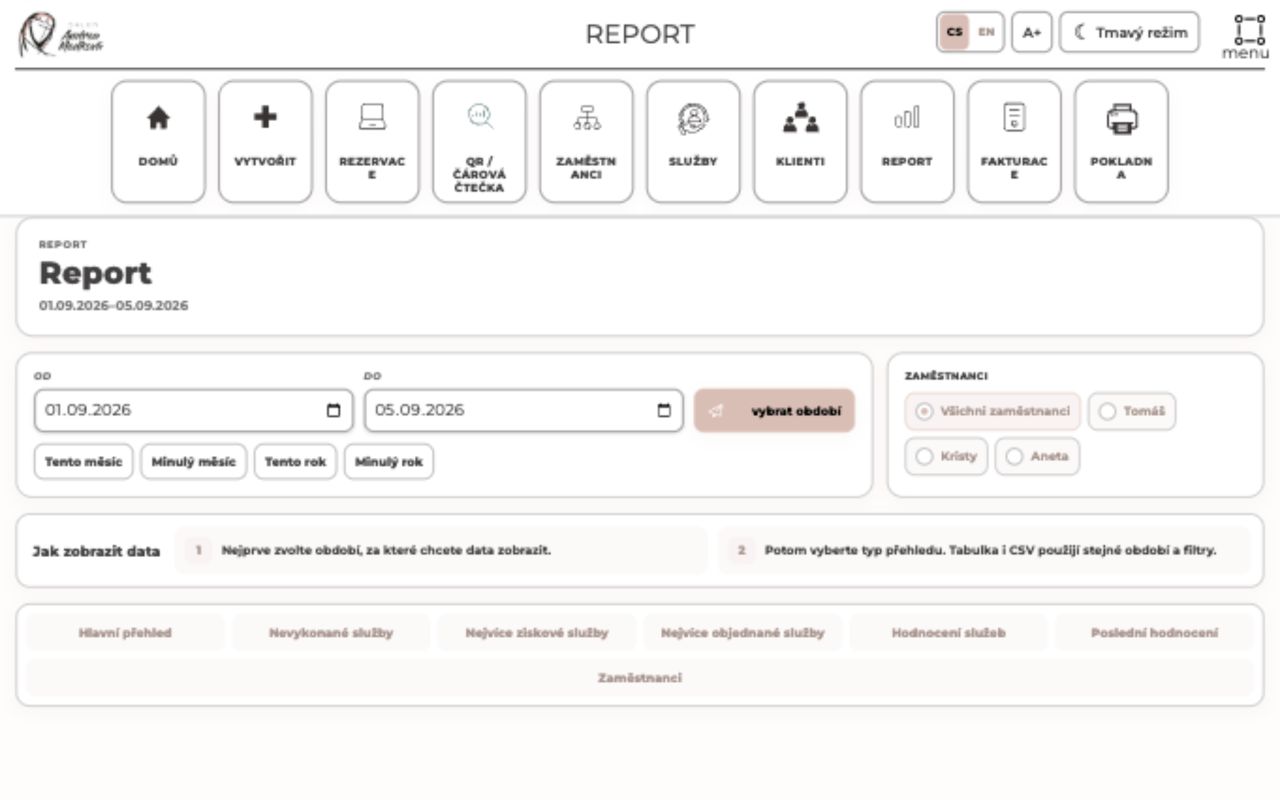
Select a view to see the real system
We will show Restime using your operational processes.
The outcome
Fewer systems. Less uncertainty. More time for clients and better decisions.
Restime combines simple client booking with professional operational management. Leaders see the business as a whole and act on current data.
Restime for your business
Let’s start with what you need to improve.
Do you have a question, a specific requirement or a process that is not working today? Together, we will design a solution that fits your real operation.
Write to us